How do you turn photos into a short film on WhatsApp?
A simple guide to turning 15 to 25 of your photos or clips into a short cinematic film by chatting with Felix on WhatsApp, with no app or editing.
Jonny Biggins, Founder of EchoflicksUpdated 3 min read
The short answer
To turn photos into a short film on WhatsApp, message Felix, the Echoflicks filmmaker, and send 15 to 25 photos or short clips of any occasion. Felix reads the photos, asks a few questions, then creates a cinematic movie of about 60 seconds with narration, an original music score, colour grading, titles and credits. Most films are ready in about 20 minutes and arrive in the same chat. Your first Echo is free, no credit card required.
Key takeaways
- Everything happens in a WhatsApp chat: there is no app to download and no account to create.
- Send 15 to 25 photos or short clips; that is enough for a film of about 60 seconds.
- Felix asks a few questions about your photos, then makes the film for you.
- Most films are ready in about 20 minutes and arrive in the same chat.
- Only your real photos are used. Some are animated, but nothing is invented.
Most of us have far more photos than we ever look at. A short film is a way to bring some of them back to life: a birthday, a holiday, a year with the family or someone you miss. This guide explains how to make one from your phone, in a WhatsApp chat, without any editing.
What is an Echo?
An Echo is a short cinematic movie made from your real photos. It is about 60 seconds long and comes with narration, an original music score, colour grading, titles and credits.
Felix, the Echoflicks filmmaker, makes it for you. You choose the photos and answer a few questions; Felix does the rest.
What do you need before you start?
Very little:
- WhatsApp on your phone. Echoflicks lives inside WhatsApp, so there is nothing to download and no account to set up.
- 15 to 25 photos or short clips. They can be from any occasion: a celebration, a trip, a family gathering, a pet or a person you want to remember.
- A few minutes to answer questions. Felix will ask about the photos so the film tells the right story.
You do not need editing software, music or any design skills.
How do you make the film, step by step?
- Message Felix on WhatsApp. Start a chat with Felix, the Echoflicks filmmaker.
- Send your photos or clips. Share 15 to 25 of them in the chat.
- Answer a few questions. Felix reads your photos and asks a few questions. Answer in your own words; there is no right or wrong way.
- Wait while Felix makes the film. Felix creates the movie from your photos.
- Watch your Echo. Most Echoes are ready in about 20 minutes and arrive in the same WhatsApp chat.
Which photos make the best film?
The photos that tell a story. A few tips:
- Think beginning, middle and end. A film feels complete when it moves through time, from the first photo of an occasion to the last.
- Mix wide shots and close ones. A view of the whole party, then a face mid-laugh.
- Include people and moments, not only places. The best films are about who was there.
- Add a few short clips. A few seconds of movement or sound can lift a film.
- Do not worry about perfection. A slightly blurry photo that means a lot is worth including.
Use photos that belong to you or your family, and check that anyone else in them is happy to be in a film you plan to share.
Will the film look like your real photos?
Yes. Felix only uses your real photos. Some of them get animated, so a still moment can feel a little more alive, but nothing is invented. The people, places and pets in your film look as they really were.
What can you do with the finished film?
Your Echo arrives in your WhatsApp chat, so it is easy to keep and share. You can forward it to family and friends, send it to a group chat, or keep it to watch again on an anniversary or a birthday.
People make Echoes for all kinds of moments. If you are remembering a much-loved animal, our guide on how to make a pet memorial video from photos walks through it step by step.
For a present, see whether a short film made from your photos is a good gift. For a film that spans generations, see our guide on turning family photos into a memory film. And if you are deciding between a film, a memoir book or editing it yourself, our comparison of the best ways to turn family memories into a keepsake sets out the options.
What does it cost?
Your first Echo is free, no credit card required. After your first Echo, Felix may ask you to buy Echo credits before starting another movie; the exact price and credit pack are always shown in Stripe Checkout before you pay.
What happens to your photos?
Your photos are yours. They are stored securely on EU servers and only ever used to make your Echo. You can read our privacy policy or ask us anything through our contact page.
Questions people ask
FAQ
- Do I need to download an app?
- No. Echoflicks lives inside WhatsApp, so there is nothing to download and no account needed. You simply message Felix.
- How many photos should I send?
- Send 15 to 25 photos or short clips. That gives Felix enough to tell a story in a film of about 60 seconds.
- How long does it take?
- Most Echoes are ready in about 20 minutes after you send your photos and answer Felix's questions.
- Will the film change my photos?
- Felix only uses your real photos. Some get animated, but nothing is invented, so the people, places and pets look as they really were.
- How much does it cost?
- Your first Echo is free, no credit card required. After your first Echo, Felix may ask you to buy Echo credits before starting another movie; the exact price and credit pack are always shown in Stripe Checkout before you pay.
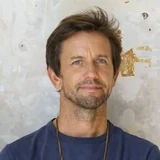
Jonny Biggins
Founder of Echoflicks
Jonny is the founder of Echoflicks, the AI filmmaking company that turns the photos on your phone into short cinematic films, made with Felix on WhatsApp.
LinkedInTurn your photos into a film.
Send Felix your photos on WhatsApp and get a short, narrated film back, usually in about 20 minutes. Your first Echo is free, no credit card required.
 Message Felix